Showing posts with label tutorial. Show all posts

Wednesday, March 19, 2025

Learning how to ink : Brush

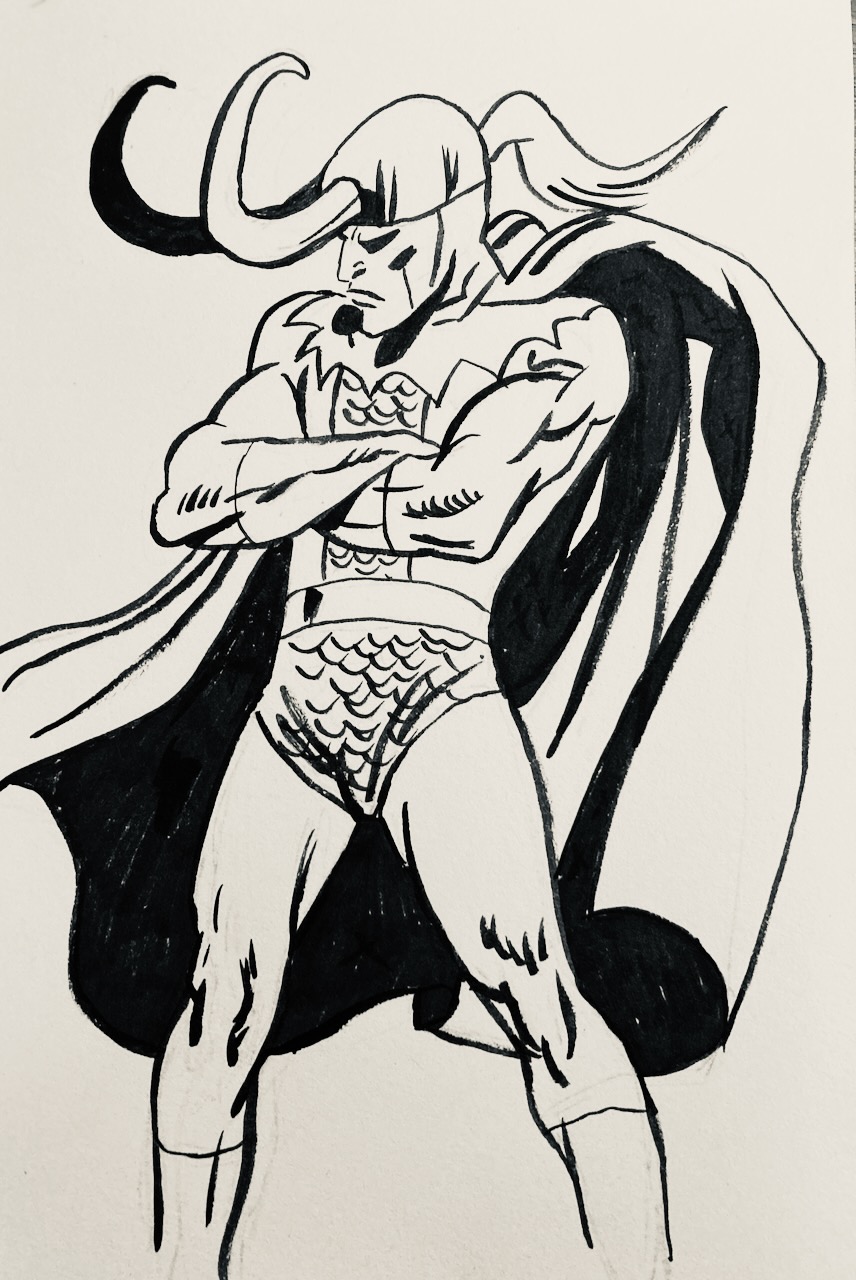
This is proving really hard for me, learning how to ink. I am not too bad with a pen, but with brush I am terrible :P Part of it, I think is that I work on crappy, textured paper. They always recommend Bristol board, so I'll try and get a Bristol pad specifically for ink.


I started by doing these marks from the book: How to draw the Marvel Way. This is where I noticed the ink doesn't come out very well on this paper...that, and I suck :P

I then did a practice page on a figure (Loki drawn by Buscema)


Thursday, July 10, 2014

2 minute gestures...and sort of..a "how to"

So below is a 2 minute gesture drawn in Photoshop based on photo ref from pixelovely.

It's easily my favorite drawing this evening and only really happened towards the end of the session. One of the main reasons I keep a blog for my figure drawing is to reflect back on my drawings. I think it's very important to look at your work and pick out what you like and dislike, and find ways to keep drawing exciting for yourself.


So anyway let's turn back the clock a little bit, I started off with 1 minute poses. As you can see I started using tone, defining muscles...a little too much to squeeze into 1 minute. I could just force myself to simplify my drawings, but when you're eager to draw a certain way I think you should just go for it. So I decided to switch it up to 2 minutes after these.


2 fundamental mistakes I ...pretty much always make...came up in the 1 minute ones:

1)- I draw too large...and force the figure into frame or start scrolling up and down in Photoshop to move up and down the figure. This obviously is not a very good idea, because you either don't draw feet for example because they are off frame. Or..in some cases you're drawing blind just looking at the legs without seeing the relation to the rest of the body.

solution: Very easy, just draw a very quick gesture (30 sec) that encases the entire figure. If it's too big you can change it on the fly...that initial gesture should be drawn light or with a light color pencil if you are working traditionally.

2) Getting stuck into detail WAY too early. See the notes on the image below.


Anyway, moving on I went for 2 minute poses working on 2 layers. On the first layer I draw a very quick gesture with a big brush on low opacity. I then switch to the next layer and refine the gesture with a thinner brush...it's important to note though that I don't zoom in. Keep the entire figure on screen, or if you are drawing on paper..draw small!

I put the 2 together below so you can see the quick 30-45 second gesture with the refined drawing next to it. Keep in mind this is all done in 2 minutes..which..if you're not used to it, is not much time! If you are new to this, I suggest first practicing to draw those loose gestures first before you can go in with the second phase.


These were all fairly stiff though, it wasn;t until drawing 3 on the page below that I started to get into some flow... I guess we're officially warmed up and ready to dig into some creative work!

Tuesday, October 8, 2013

242: Morning Warm Ups + Brush settings in Flash

Again Flash, same as the days before.. I also picked my favorite gesture for a full pager :P


Friday, July 5, 2013

203: Tutorial - Connecting the dots

Been thinking about creating tutorials for certain drawing techniques. Not that I am in anyway qualified to teach others but by teaching others I will learn myself.

The first one I'll create something proper for is "mapping". This is great for beginners who have problems getting proportions right, or fitting the whole figure on the page.

I'll be posting this up when it's fully detailed. beneath was a test, to see if it actually works : P


Tuesday, April 30, 2013

187: Hand Studies + Study tips

I am starting a week of daily hand drawing, here's todays page :


As a general base for my studies I used Bridgman's more sculptural approach. Don't worry about individual muscles on fingers or how everything works underneath, but instead focus on the general broader shape. You can get the free e-book here: http://www.scribd.com/doc/4461737/Constructive-Anatomy-by-George-Bridgman


I used posemaniacs for the references, they provide free 3d models that you can rotate in full 360 degrees. They are not detailed so it's easier to be general with your description of the hands. When you pick images you can easily get stuck on value, color, wrinkles, etc.. These force you to stay simple! link: http://www.posemaniacs.com/tools/handviewer/

Wednesday, December 26, 2012

165: Mark McDonnell Gesture Warm Ups

I figure this blog shouldn't always be about me posting my work, but as well about artists out there who inspire. Mark McDonnell is one of those artists. I am not at a stage yet where I can do the things he does, but I really wish I could. I am comfortable now with proportions, and even getting realistic drawings from the model on paper, that's why I have been experimenting with color lately, but my real ambition now is to push the poses and look for the storyelements.

Look at Mark's warm ups, absolutely amazing!

Sunday, December 9, 2012

161: Reilly's quicksketch Method

I stumbled across this interesting guy who posted up a tutorial on Reilly's method. I never heard of this, but it's pretty awesome! Will try it out and post up the results here!

This is the youtube tutorial:

More on this website: http://www.freshdesigner.com/tag/reilly-method/